SmartBox Gen 3 Automotive Key Programmer by Kore.co



SmartBox / Key Programmers
Bring automotive key programming into your shop or mobile service with the SmartBox Gen 3 by Kore.co. Built for locksmiths and automotive technicians, SmartBox combines professional programming tools with an app-based workflow to help you serve customers on site.
Program compatible car keys and remotes, check transponder chips, test remote signals, and clone supported keys with one platform. Choose an unlimited programming subscription for predictable programming costs, with Google Book Now included to help customers schedule your services online.
Built for busy locksmiths
Keep jobs moving with an intuitive workflow, offline operation, and practical tools for both mobile service and the shop. Program keys for most supported vehicles in five minutes or less, with actual time depending on the vehicle and procedure.
Make more use of your key inventory
Read transponder chips before cutting blanks, reuse compatible keys and remotes, and remove old programmed keys on supported vehicles after a change of ownership. These functions help reduce wasted parts and support a more consistent key-service process.
Keep your programming tools current
Lifetime software and key-programming updates are included at no additional cost. Connect and synchronize at least every 30 days to keep the system current; some features may pause if the device goes beyond that interval without syncing.
SmartBox Benefits for Locksmiths
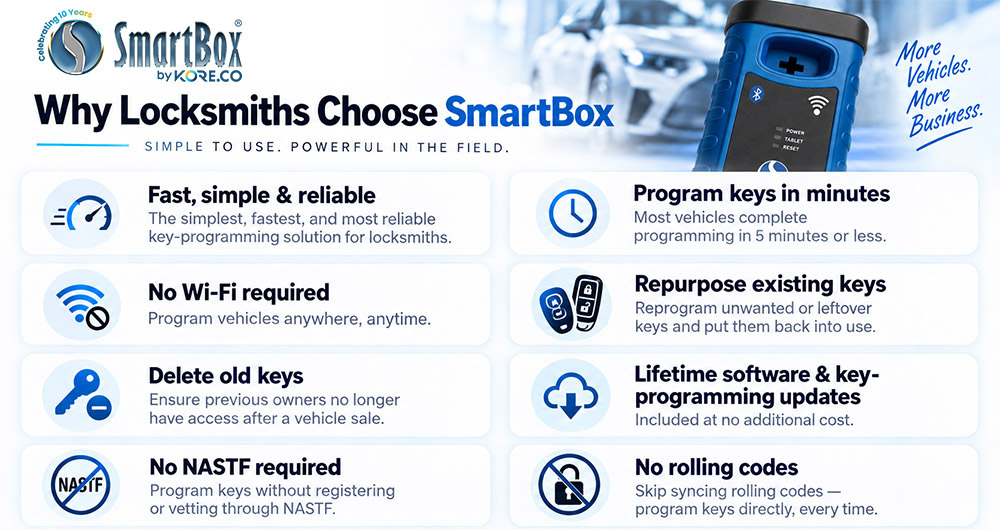
No NASTF registration required for supported programming
Program keys through supported SmartBox procedures without NASTF registration or vetting. Check the vehicle-specific requirements in the Reference Guide; separate OEM security services may require credentials.
No manual rolling code synchronization
Program keys directly on supported vehicles without manually synchronizing rolling codes. Follow the vehicle-specific steps in the Reference Guide for a straightforward programming workflow.
Professional Programming Capabilities
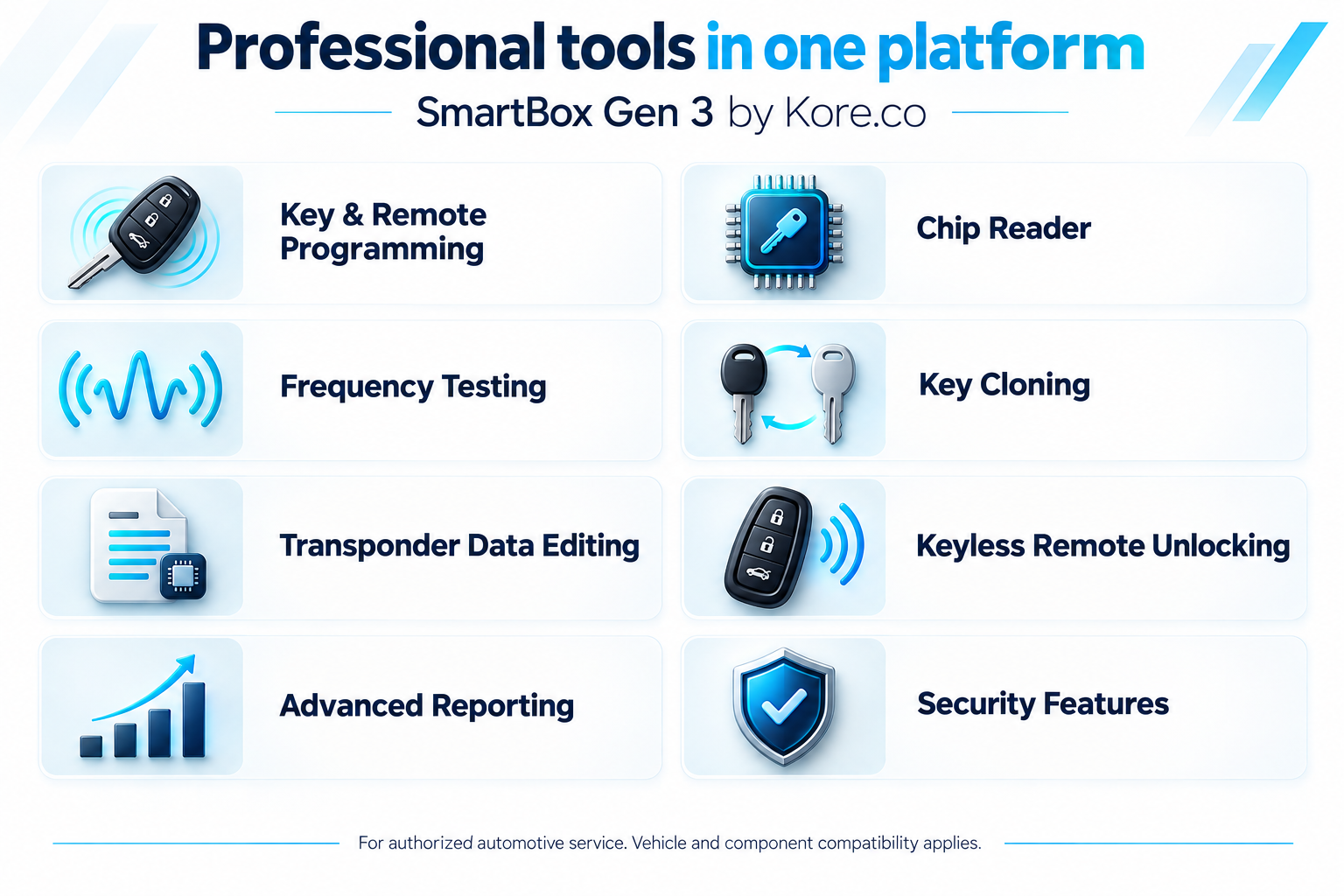
Professional key and remote tools
- Key and remote programming Handle supported transponder keys, proximity keys, and remotes.
- Chip reading Identify the chip before cutting a blank to help prevent wasted parts.
- Frequency testing Check a remote’s transmitted frequency with the built-in tester.
- Transponder cloning Duplicate compatible chips for supported applications.
- Remote unlocking and key reuse Reset supported used remotes and repurpose compatible leftover keys to make better use of your inventory.
- Transponder data editing Configure compatible blank chips for the required application.
- Usage records and security Review programming history and account activity, with platform protections against unauthorized access.
- Old key deletion Remove previously programmed keys on supported vehicles after a change of ownership.
- PIN code reading Read PIN codes on over 95% of vehicles that require them, with no extra tools or cables.
Available functions depend on the vehicle, key, chip, and programming procedure.
SmartBox Programming Plans
Choose a programming plan to suit your workload, from pay-per-use billing to unlimited programming and options for businesses with multiple devices.
|
Plan |
Price |
Details |
|
Pay-Per-Use |
$10 per use |
Billed at month-end |
|
Monthly Unlimited |
$200 per month |
12-month minimum contract |
|
Yearly Unlimited |
$2,000 per year |
12-month plan; existing Pay-Per-Use customers |
|
Family Plan |
$150 per month per unit |
Up to 10 devices |
Programming plan charges are separate from the SmartBox hardware package price. Monthly and yearly plans renew automatically each billing period.
Google Book Now included with your plan
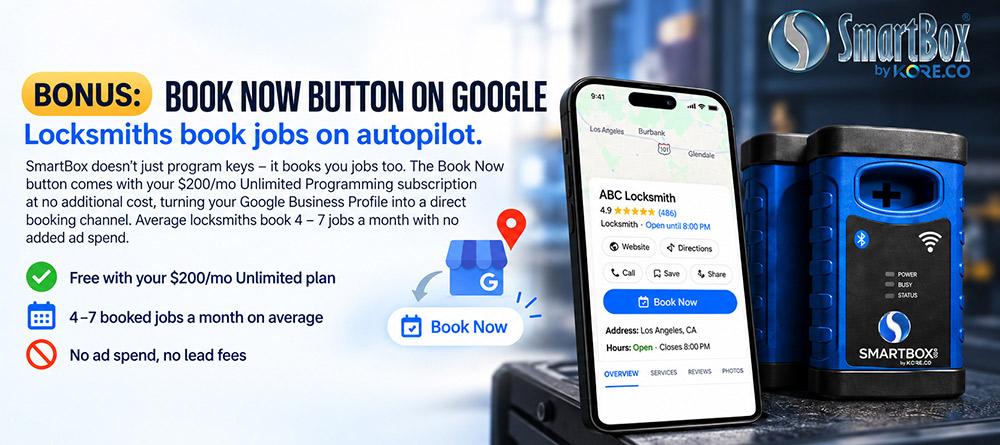
Let customers book your locksmith service from Google Search and Maps. SmartBox’s Google Book Now integration adds appointment scheduling and job alerts to your Google Business Profile.
Let customers schedule 24/7, including while you are working on another vehicle or away from the phone. Job alerts help you keep track of new appointments. SmartBox helps set up the integration so your existing Google visibility can bring in bookings alongside your website and phone line.
Book Now is included at no extra cost with an active Monthly Unlimited or Yearly Unlimited subscription. A claimed, verified Google Business Profile is required. The SmartBox by Kore.co team sets up the button after a short walkthrough, typically within a few business days. If payment is missed for two consecutive billing cycles, the button is removed until the account is brought current.
Supported vehicles
SmartBox offers 95% vehicle coverage, with North American domestic and imported applications from the late 1990s onward and new vehicles added monthly. Coverage is specific to the make, model, year, and function; key support does not automatically mean every remote or PIN function is available.
Use the official vehicle checker to search the vehicle and review key, remote, and PIN-code support. Confirm the current programming notes in the Reference Guide before quoting or beginning a job.
Check supported vehicles by make model and year
Included Equipment and Mobile Resources
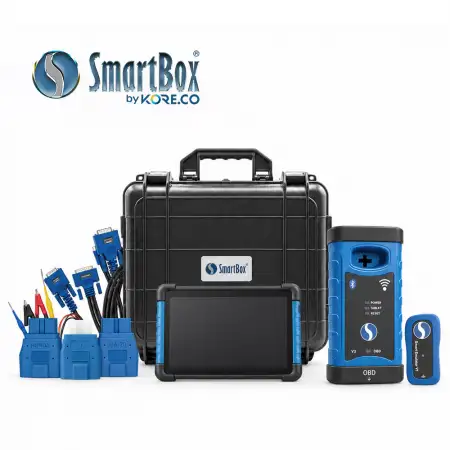
What comes in the box
The SmartBox Gen 3 package includes the following equipment and accessories.
- 1 x Gen 3 Key Programming Device
- 1 x Android Tablet
- 1 x V3 OBD Cable
- 1 x USB-C Media and Charging Cable
- 1 x Mini USB to USB Cable
- 1 x USB Wall Charger Adapter
- 3 x OBD Adapters
- 1 x 12-Volt Power Supply
- 1 x Smart Emulator V1
- 1 x Type C Emulator Cable
- 1 x Key Unlocking Cable
SmartBox Reference Guide for Apple and Android
Keep vehicle information and learning resources close at hand with the free SmartBox Reference Guide app. Available for Apple iPhone and iPad and Android devices, this companion app helps you prepare for jobs and find guidance while you work.
Resources include current vehicle coverage, model-specific instructions, programming notes, training videos, quick-start materials, discussion boards, and access to support. Use your SmartBox member credentials for owner resources. The Reference Guide supports learning and reference; actual key programming requires the SmartBox system.
Download SmartBox Reference Guide on the Apple App Store
Download SmartBox Reference Guide on Google Play
Frequently Asked Questions
Does SmartBox require NASTF registration?
Supported SmartBox key-programming procedures do not require NASTF registration or vetting. Vehicle-specific requirements apply, and separate OEM security services may require credentials.
Which programming plans are available?
Pay-Per-Use costs $10 per use. Monthly Unlimited is $200 per month with a 12-month minimum contract. Yearly Unlimited is $2,000 for a 12-month plan and is available to existing Pay-Per-Use customers. The Family Plan is $150 per month per unit for up to 10 devices.
How does pay-per-use billing work?
Each qualifying use costs $10. Charges depend on the completed function and the number of keys added. Usage is recorded in your account and billed at month-end. A use is charged only after a qualifying function completes successfully. Chip reads, frequency testing, clearing DTCs, and software updates do not count as uses.
Is Google Book Now free with SmartBox?
It is included at no additional cost with an active Monthly Unlimited or Yearly Unlimited subscription. You need a claimed, verified Google Business Profile and setup through SmartBox.
How do I check whether a vehicle is supported?
Search the exact make, model, and year on the supported vehicles page. Review the required key, remote, or PIN function and the latest vehicle notes before starting.
Does SmartBox need Wi-Fi for every job?
SmartBox can work offline. Connect to Wi-Fi and synchronize at least every 30 days; some features may pause if that interval is exceeded.
Are software updates included?
Lifetime software and key-programming updates are included at no additional cost. Regular synchronization keeps the device software and firmware current.
Can I program keys using only the Reference Guide app?
No. The Reference Guide provides information and training. Use the SmartBox programming device and its programming application to perform supported procedures.
Can SmartBox clone any chip or unlock any used remote?
Cloning and remote unlocking depend on the specific chip or remote. Verify support and use the correct compatible components. Supported clone chip types include 4C, 4D (40-bit), 72G (80-bit), 46, and T5-series chips. Cloning with SmartBox chips does not count as a use.
Can SmartBox read PIN codes?
Yes, for over 95% of vehicles that require them. PIN code reading is built in and needs no extra tools or cables.
Where can I get training or technical help?
Start with the app and Member Portal resources. Your distributor is the first support contact; SmartBox can assist with more involved technical issues.