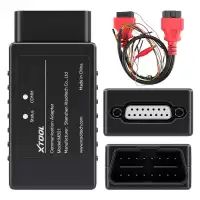
XTOOL M822 Toyota & Mercedes-Benz AKL Communication Adapter


| Supported Vehicles | Toyota (8A Blade Keys), Mercedes-Benz (FBS3) |
| Required Programmer | KC100 or KC501 + KS-1 (Toyota), KC501 (Mercedes-Benz) |
| Condition | New |

XTOOL / Programming Adapters
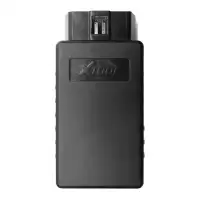
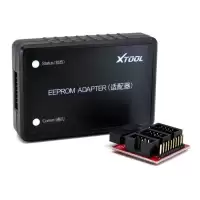
XTOOL M822 Toyota & Mercedes-Benz All Keys Lost Communication Adapter
The XTOOL M822 is used to complete all keys lost programming on Toyota vehicles with 8A chip blade keys. It is an upgraded version of the M821 adapter and also lets you complete and optimize all keys lost programming on Mercedes-Benz with various FBS3 modules.
Requirements
The M822 must be used with an advanced XTOOL key programming device.
- Toyota: KC100 or KC501 key programmer and KS-1 Toyota smart key emulator are also required.
- Mercedes-Benz: KC501 key programmer is required.
Connection Method – Toyota 8A
- Connect the KC100/KC501 to the device via USB and prepare a KS-1.
- Connect the device (or VCI box) to the M822 adapter using the main cable.
- Connect the Toyota cable to the vehicle's OBD port.
- Remove the battery clip from the vehicle and use it to connect the cable to the battery.
- Remove the fuse from the fuse box and plug the cable into it.
- Connect the 12V DC male port on the Toyota cable to the 12V DC female port on the main cable.
Note: The connection method may vary by model. An extension cable may be needed, and the fuse location may differ.
Connection Method – Mercedes-Benz
- Connect the KC501 to the device via USB.
- Connect the Mercedes-Benz IR emulator to the KC501.
- Connect the device (or VCI box) to the M822 adapter using the main cable.
- Connect a 12V power supply to the main cable. If your device uses a VCI box, make sure it is connected to the device via Bluetooth.
- Connect the EIS/EZS module to the M822 adapter using the Mercedes cable. Check the device for connection details.
Note: Refer to the pictures on the device when connecting the adapter and EIS/EZS module with the Mercedes cable. The Mercedes-Benz IR emulator should be plugged into the module slot during operation.